<!-- ``<style>`` Overwrites defaults from reveal_config.yaml and mkslides.yml --> <style> /* /mesa-custom.css: {navy: #023867, link-blue: #00529c, gold: #fdb930} */ </style> # Intro to Python ## Week 4 (Tues) <br> ### Review & Practice 1. Your python toolbox 2. `turtle` 3. GitLab.com 4. `this`, `ipython`, and `__name__` note: 1. First we'll review your Python toolbox 2. Then we'll review the boss level homework 3. You'll set up and practice using _GitLab.com_ 4. last week: `self`, this week: `this` --- ### Toolbox (Review) <br><br> - `bash ` - Git-Bash or Shell prompt (`$ `) - `python ` - interactive Python console (`>>> `) - `subl ` - Sublime Text project (`~/code/` in title bar) note: - During class you should always have a Terminal window open with an interactive Python interpreter running - I love it when I show you a new command in the slides and I see you playing with it in your Terminal --- ## Websites - *Canvas* - assignments and quizzes - *Runestone.Academy* - interactive textbook - [``nlpia.org``](https://nlpia.org/fall26) - classroom slides and notes - [``proai.org``](https://bash.proai.org) - *GameShell* - [``wikipedia.org``](https://en.wikipedia.org) <!-- .element: class="fragment" --> - [``GitLab.com/mesa_python/fall26``](https://GitLab.com/mesa_python/fall26) <!-- .element: class="fragment" --> note: - This is mostly for our guest professor - You have been submitting assignments each week in Canvas and Runestone - In class I use the course slides (nlpia.org) to keep us on track during class - You used GameShell (proai.org) to practice your Bash and Python skills - Sometimes I'll create websites or educational games to make things more fun --- ## Search - [``Google.com``](https://en.wikipedia.org) - [``ChatGPT.com``](https://en.wikipedia.org) - [``Claude.ai``](https://en.wikipedia.org) [](https://meatproxy.me) note: - It's not cheating, but you are cheating yourself - Our authenticity is your main advantage against AI - Be the hero, not the meat proxy --- ## Proxy --- #### Don't be a <br><br> ## Prompt Forwarder --- #### Don't be a <br><br> ## Conveyor Belt --- #### Don't be a <br><br> ## ``Ctrl-V`` Engineer --- #### Don't be a <br><br> ## Human _Bottleneck_ --- #### Don't be a <br><br> ## _Latency_ Generator --- ## Turtle #### Write a function to draw a rectangle --- ```bash $ python [ENTER] ``` ```python >>> import turtle >>> turtle. # [TAB] key ``` [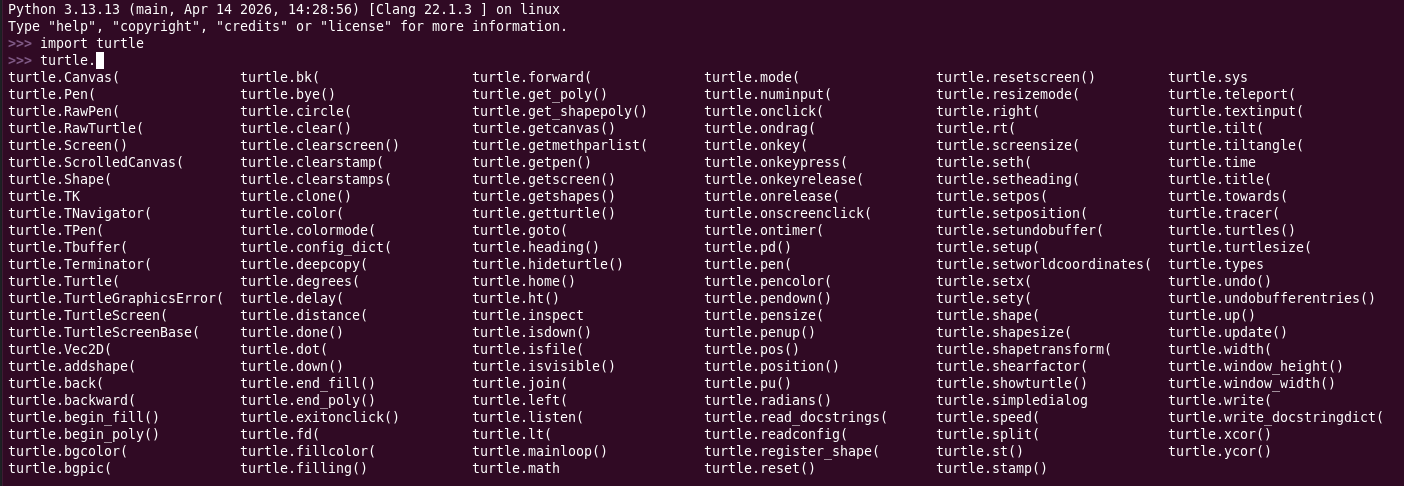](./wk4/turtle-tab.png) --- ```python >>> import turtle >>> screen = turtle.Screen() >>> timmy = turtle.Turtle() >>> timmy. # [TAB][TAB] ``` --- ```python >>> import turtle >>> screen = turtle.Screen() >>> timmy = turtle.Turtle() >>> timmy.forward(100) ``` --- ```python >>> import turtle >>> screen = turtle.Screen() >>> timmy = turtle.Turtle() >>> timmy.forward(100) >>> timmy.left(90) ``` --- ```python >>> import turtle >>> screen = turtle.Screen() >>> timmy = turtle.Turtle() >>> timmy.forward(100) >>> timmy.left(90) >>> timmy.forward(50) >>> timmy.left(90) ``` --- ```python >>> import turtle >>> screen = turtle.Screen() >>> timmy = turtle.Turtle() >>> timmy.forward(100) >>> timmy.left(90) >>> timmy.forward(50) >>> timmy.left(90) >>> timmy.forward(100) >>> timmy.left(90) >>> timmy.forward(50) >>> timmy.left(90) ``` --- ```python >>> import turtle >>> screen = turtle.Screen() >>> def draw_rect(): ... timmy = turtle.Turtle() ... timmy.forward(100) ... timmy.left(90) ... timmy.forward(50) ... timmy.left(90) ... timmy.forward(100) ... timmy.left(90) ... timmy.forward(50) ... timmy.left(90) ``` --- ```python >>> def draw_rect(timmy, x, y): # why not `, angle)` ... timmy.forward(x) # why not `l`? why not `length` ... timmy.left(90) # why not `angle` ... timmy.forward(y) ... timmy.left(90) ... timmy.forward(x) ... timmy.left(90) ... timmy.forward(y) ... timmy.left(90) ``` note: - Any undefined variables? - This is not clean code --- ```python >>> def draw_rect(x, y): # why not `, angle)` ... timmy.forward(x) # why not `l`? why not `length` ... timmy.left(90) # why not `angle` ... timmy.forward(y) ... timmy.left(90) ... timmy.forward(x) ... timmy.left(90) ... timmy.forward(y) ... timmy.left(90) ``` --- ```python >>> import turtle >>> screen = turtle.Screen() >>> timmy = turtle.Turtle() >>> timmy.forward(100) >>> timmy.left(90) >>> timmy.forward(50) >>> timmy.left(90) >>> timmy.forward(100) >>> timmy.left(90) >>> timmy.forward(50) >>> timmy.left(90) ``` --- >>> timmy.forward(100) >>> timmy.left(90) >>> timmy.forward(50) >>> timmy.left(90) >>> timmy.forward(100) >>> timmy.left(90) >>> timmy.forward(50) >>> timmy.left(90) --- ```python def draw_rectangle(): import turtle screen = turtle.Screen() timmy = turtle.Turtle() timmy.forward(100) ``` note: - this meets the requirements of the assignment - but it's poor style - and not a very useful or reusable function ` --- ```python def draw_rectangle() import turtle # move import to top of module screen = turtle.Screen() timmy = turtle.Turtle() timmy.forward(100) timmy.left(90) timmy.forward(50) timmy.left(90) timmy.forward(100) timmy.left(90) timmy.forward(50) timmy.left(90) ``` --- <!-- .element: class="pre" data-line-numbers="1-2|3-5|6-7|6-9|10-13" --> ```python import turtle def draw_rectangle() screen = turtle.Screen() # not needed timmy = turtle.Turtle() timmy.forward(100) timmy.left(90) timmy.forward(50) timmy.left(90) timmy.forward(100) timmy.left(90) timmy.forward(50) timmy.left(90) ``` --- ## `git` <br><br> ### **V**ersion **C**ontrol **S**ystem <br> #### Keep track of changes to files --- ## GitLab.com <br><br> - Website to manage `git` projects (*repositories*) - Automatically check your files for syntax and style errors - Can run your program files to help find logic and runtime errors --- ## Attendance - Review class notes or code or python history - in Python: `>>> ` ⬆ (up arrow) - in Sublime Text: <kbd class="keyboard-key" about="#mwt169">Ctrl</kbd>+<kbd class="keyboard-key">Shift</kbd>+<kbd class="keyboard-key">F</kbd> <br> <br> - Think of some new computer science terms you've learned - At the whiteboard, write your name and a term not already on the board <br> note: - Be prepared to explain it or use it in a sentence. --- ## Lab Assignment 1. Check your @student.sdccd.edu e-mail 2. Look for an invitation to join GitLab 3. Click on the link to go to GitLab.com in your browser 4. Create an _Free_ account using your `@student.sdccd.edu` email 5. Click the ``[+]`` menu at the top of the page near your profile - Create a new project named `python_code` or `python_practice` or whatever you like - Select the "group" with your username for your new project - Make it public to share it with friends or employers 6. On your project folder at ``f'gitlab.com/{your_gitlab_username}/{your_project_name}'`` click the ``[+]`` - click "Upload" and select a Python program file from your computer - click "New file" and paste your code into a new file - make sure the file is named ``"*.py"`` - IMPORTANT: click the blue ``[Commit]`` to make sure the new file is saved <br> <br> <br> --- ## Install `uv` ##### (if you haven't already) ```bash $ curl -LsSf https://astral.sh/uv/install.sh | sh ``` ##### OR (if that doesn't work on Windows) ```bash $ powershell -ExecutionPolicy ByPass -c "irm https://astral.sh/uv/install.ps1 | iex" ``` --- ## Install `ipython` ##### (if you can) ```bash $ uv pip install ipython ``` ### OR (if that doesn't work) #### [Install UV] --- --- ## Fun! ```python >>> import this ``` --- ### Links 1. [slides.nlpia.org](https://nlpia.org) 2. [starter code](./wk4/wk4.py) 3. [sdccd-edu.zoom.us/my/dlane](https://sdccd-edu.zoom.us/my/dlane) - Mon 10AM & 7PM 4. [astral.sh/uv](https://docs.astral.sh/uv/getting-started/installation/)