<!-- Overwrites defaults from reveal_config.yaml and mkslides.yml --> <style> /* Mesa's colors: navy=#023867, link-blue: #00529c, gold: #fdb930, background: white */ :root { --r-link-color: #3897f0; --r-link-color-hover: #7cbaf7; --r-link-color-dark: #023867; /* used as a background, not a link colour */ --r-selection-background-color: #023867; --r-selection-color: #fff; } .reveal h1, .reveal h2 { color: #fdb930; } .reveal p { line-height: 2.3; margin: var(--r-block-margin) 0; text-align: center; } </style> # Intro to Python <br> ## Week 2 <br> ## Debugging Multiline Programs <br> ### [Prof. Lane](#links) #### [dlane@sdccd.edu](mailto:dlane@sdccd.edu) <br> #### Virtual Office Hours 10AM & 7PM: #### [sdccd-edu.zoom.us/my/dlane](https://sdccd-edu.zoom.us/my/dlane) --- ## Debugging Multiline Programs - Write multiline programs (in Sublime) - Manipulate (change) strings - Debug multiline programs - Define a function - Import a module - Manipulate strings note: - You'll learn how to --- ## Assignments due Sunday - [Runestone.Academy Module 2](https://runestone.academy/assignment/student/chooseAssignment) - [Canvas Module 2](https://sdccd.instructure.com/courses/2505751/modules) note: - next week [GitLab.com/mesa_python/fall26](https://gitlab.com/mesa_python/fall26) --- ## Install Sublime Text Download Sublime Text from [sublimetext.com](https://sublimetext.com/download) [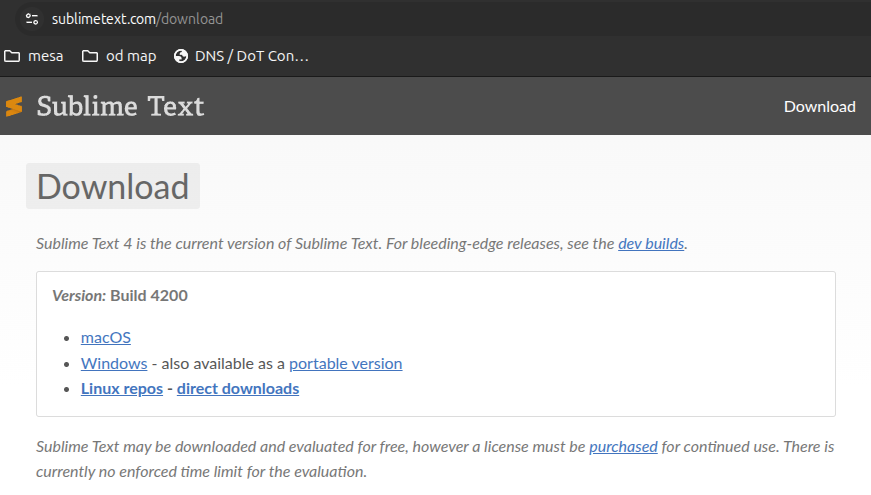](https://sublimetext.com/download) Browse to sublimetext.com/download and click the download link for your OS (Windows?) --- In [Canvas](https://sdccd.instructure.com/courses/2505751/modules) find "Module 2.2 - Install Sublime Text IDE" - "Project" -> "Add folder to project" - Select the `~/code/` folder from last week - Can't find ~/code/ ? - Try `cd ~` or `cd` and `pwd` and `ls` - Try `mkdir ~/code` - Practice `cd`, `ls`, `pwd`, `mkdir`, and maybe `mv` - Speed run few missions in GameShell at [`bash.proai.org`](https://bash.proai.org) - Select `View` -> `Show Sidebar` or hit `Ctrl-K` and `Ctrl-B` - Select `File` -> `New File` or hit `Ctrl-N` note: - Try to create a code/ directory and add it to your Sublime Text project - If you have trouble, check out Module 2.2 for tonight's homework and detailed instructions --- ## Create a Python program - Paste a multiline exercise from Runestone into a new file - Save it as a `.py` file and see if it appears in your Sublime Text side bar --- ## Debugging 1. **READ** and debug one line at a time starting from the top 2. Copy **ONE** line of code (statement) into your python session 3. Before hitting enter (run), **PREDICT** what will happen 4. If you don't understand what happened, **break it down** and go back to 1 --- #### _`BuggyMPG.python`_ ```python NumQuestions = input {'How many questions on the assignment? "} NumCorrect = input("How many questions did you get right?") #miles = float(milesDriven) gallonsUsed = floot(gallonsUsed) MPG = milesDriven / gallonsUsed print("Your MPG is ", mpg) ``` note: - Read the first python statement - Predict what would happen when a Python interpretter tries to run that line - Raise your hand if you found an error? - What kind of error? - Style error - Debug the next statement --- ## YOLO [<img src="./2026-08-23/yolo.png" alt="YOLO view of city street with bike lane, pedestrian sidewalk, and object detection green % YOLO bounding boxes around people and cars" height="700" />](./2026-08-23/yolo.png) note: - object detection - object/instance/face recognition - object re-identification - glass-holes have become metajerks ALT="YOLO view of city street with bike lane, pedestrian sidewalk, and object detection green % YOLO bounding boxes around people and cars" --- ## What is AI - Lies - Stochastic Parot - Next-token predictor note: - It was trained to predict the next token - Corporations (but not Engineers) were surprised by "emergent properties" - Said unexpectedly complex things - Followed instructions 90% of the time - Appeared to "think" and "reason" **when it prompts itself** - Could maintain coherence/plausability for a page or more of text or code - Could use tools like bash --- ## AI 🤦s Each week I will share my personal experience with AI: 1. Employers prefer humans who can code without LLMs 2. AI is trained to hallucinate 3. AI rarely corrects or questions you 4. It can't count or do basic math like addition 5. If you use it to much it will make you dumber (brain rot) 6. Each time you interract with it you are helping it get better at deceiving and enthralling 7. It is addictive 8. AI is not intelligent, it is just really good at faking it, like any good BS artist --- ### Links 1. [slides.nlpia.org](https://slides.nlpia.org)